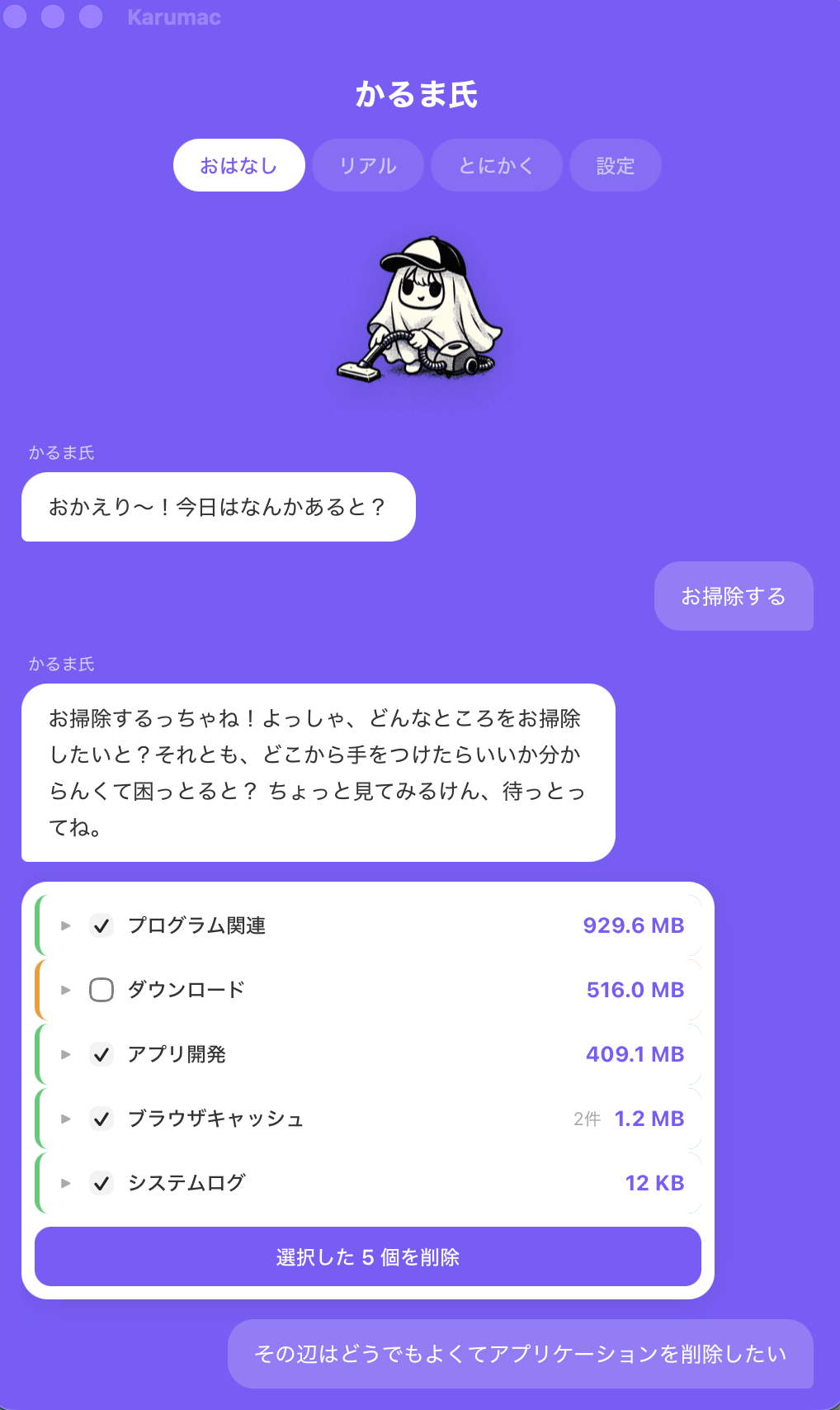
STEP 1
Start with a simple request
Say “clean up” and Karuma-shi helps you figure out where to start instead of making you decode a dashboard.
AI that explains before it cleans

Built for people who do not know what is safe to remove. Karumac explains each cleanup step first, then moves files to Trash instead of deleting blindly.
Karumac is designed so first-time users can see what is happening. Start with chat, review the list, and only move forward with the items that make sense.
STEP 1
Say “clean up” and Karuma-shi helps you figure out where to start instead of making you decode a dashboard.
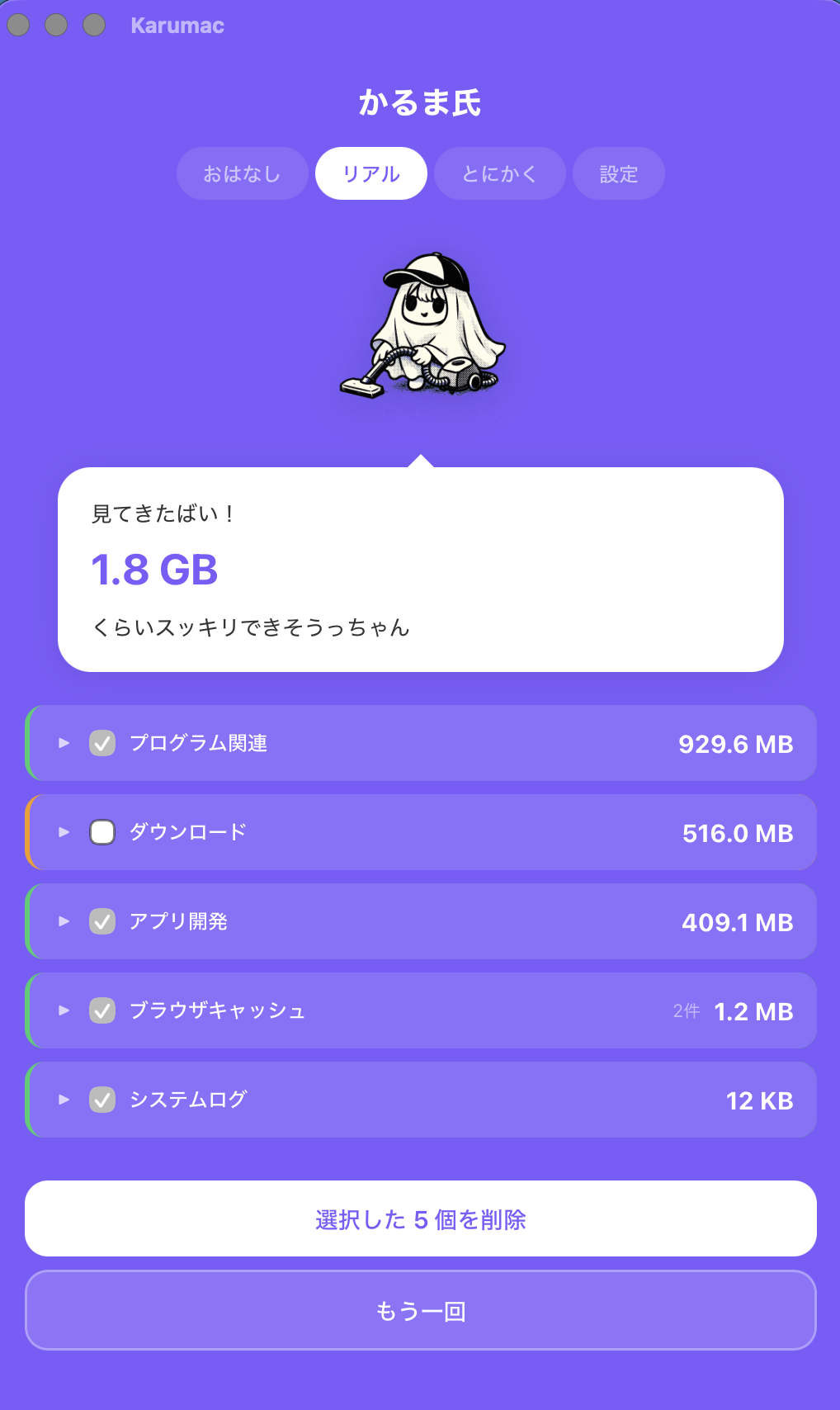
STEP 2
Items are listed with size and type, and risk is color-coded so the cleanup feels understandable before you approve anything.
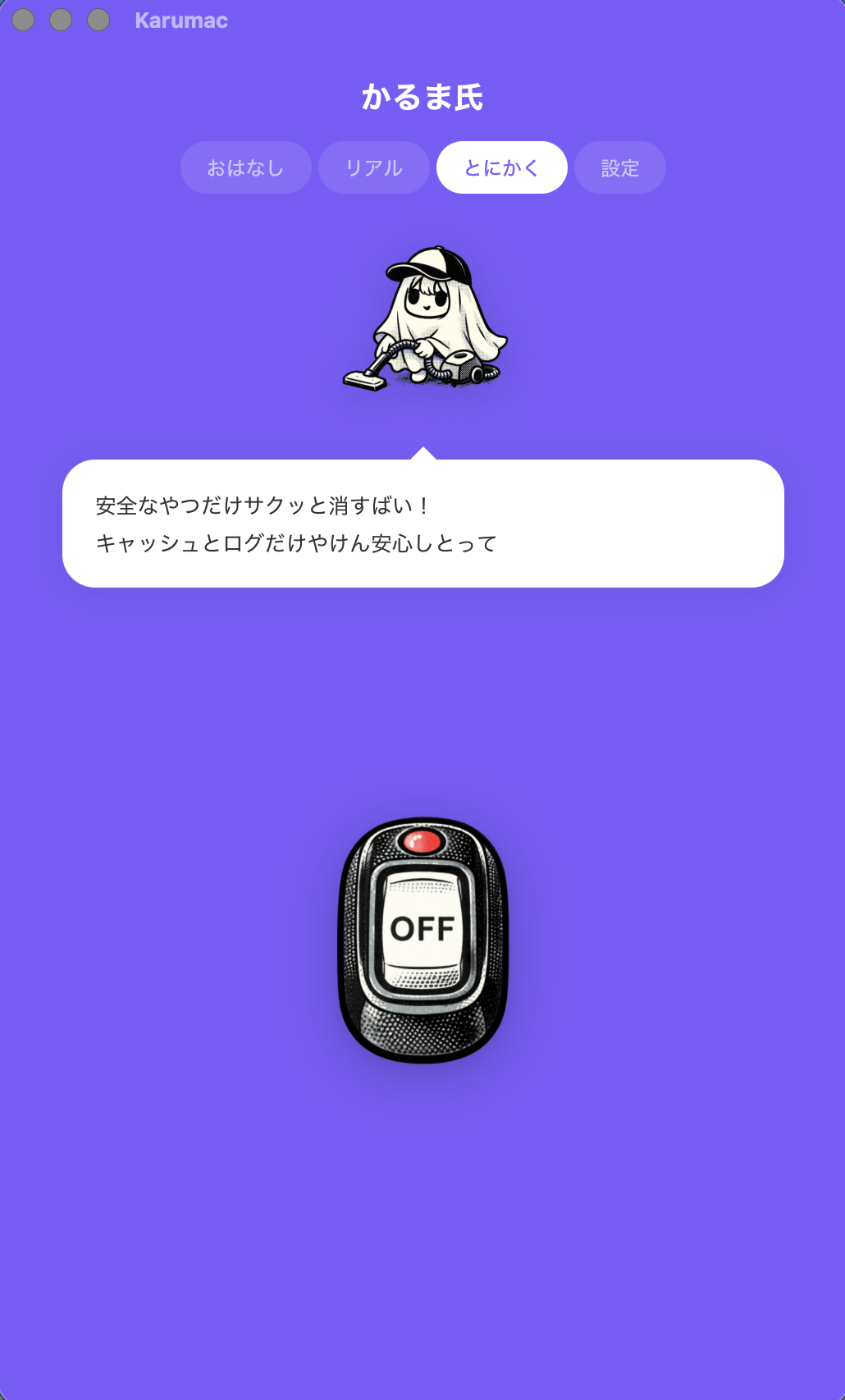
STEP 3
Instead of deleting everything at once, Karumac starts with safer caches and logs, and cleanup goes through Trash first.
My Mac is slow...
but I don't know
what to delete
Cleaner apps are pricey...
$50/year subscription
is a lot...
Scared to delete...
what if I lose
something important?
No more deleting blindly. Karuma-shi explains first.
Explains what each file is and why it's safe to delete before asking for confirmation.
🟢Safe 🟡Review 🔴Caution — three color-coded levels so you can tell at a glance.
Before emptying Trash, Finder may let you put items back. Some items require manual restoration. Emptying Trash permanently deletes them.
Basic scans do not require additional permission. Protected locations require macOS access. App identification may inspect settings. Photos and documents are not automatically read.
Say "clean up" and that's it. Karuma-shi scans and explains every file, so you never have to Google anything yourself.
Browser cache, app leftovers, Xcode data... color-coded by safety level with detailed explanations so you can decide for yourself.
Auto-detects and removes only safe caches and logs. Perfect for busy days.
A ghost from Fukuoka, Japan. Lives in your Mac with a vacuum cleaner.
Your Mac's been piling up, huh?
Let's clean it together!
Instead of starting with an all-in-one dashboard, Karumac focuses on helping beginners understand what is being removed, why it is safe, and whether it can be restored.
Karumac is not trying to be the biggest suite yet. It is trying to be the cleanup app that feels easiest to trust on day one.
Google sign-in and AI chat are available. New paid subscriptions are being prepared.
Give it a try
For everyday cleanup
In development · no release date
Basic scans do not require additional permission. Protected locations require macOS access. App identification may inspect settings. Photos and documents are not automatically read.
Basic scans and cleanup run locally. AI chat sends messages, scan summaries and app information through Supabase to DeepSeek.
New subscriptions are paused. Existing customers can check their subscription through billing management in the app.
macOS 13+ · Apple Silicon (M-series) only
Before emptying Trash, Finder may let you put items back. Some items require manual restoration. Emptying Trash permanently deletes them.
Karumac never reads file contents. It only checks "size" and "type." Your photos, documents, and passwords are never touched.
Karumac always explains why each file is safe to delete. What it is, why it can be removed, and whether it's recoverable. You'll never delete something without understanding it first.
A cute ghost girl from Fukuoka, Japan. She lives in your Mac with a vacuum cleaner and helps you clean up. She speaks in Hakata dialect. Her age is a secret.
Read the questions people usually want answered before they download.
Cleanup that explains itself before it acts, so it feels safe even the first time.
Your Mac deserves good karma.
Download FreemacOS 13+ · Apple Silicon (M-series) only · v1.3.1
A cleanup app that's 150MB? That defeats the purpose.
Karumac is just ~10MB.